Local AI, honestly · Mac · iPhone · iPad

A real assistant. All on your own devices.

Mira is a finished app for Mac, iPhone, and iPad. It runs the models on your own hardware and syncs over your iCloud, so there's nothing to wire up and nothing leaves your devices. The others are servers you bolt onto your tools; this one you just open.

Applied AI, no hype. Built in the open with Claude Code.

What you can do

One app, most of your day.

Not a toolkit to assemble; an assistant that already does the things you'd actually ask for.

Chat with your codebase

Open a project folder and ask questions about structure, logic, or specific files.

Summarize any document

Drop in a PDF, an article, a note; Mira reads it locally and nothing leaves the device.

Switch models on the fly

Qwen3.6, Gemma4, Llama, and more; models sized to fit any Apple Silicon Mac.

Search the web with context

Opt-in grounded answers when you need current information.

Pick up on your iPhone

Conversations sync to your iPhone via iCloud; start on Mac, continue on the go.

Run without internet

Full inference offline, zero API keys, no metered costs.

See it running

The same Mira, on every screen.

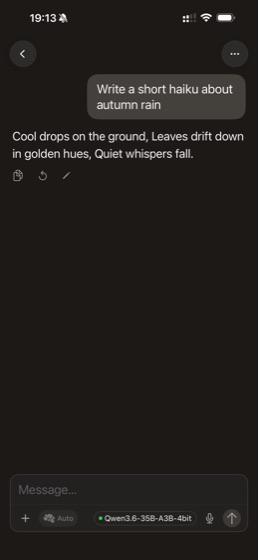
Mira on iPhone — haiku
Mira on iPhone — Python code
Mira on iPhone — Kyoto itinerary
Mira on iPhone — sleep tips
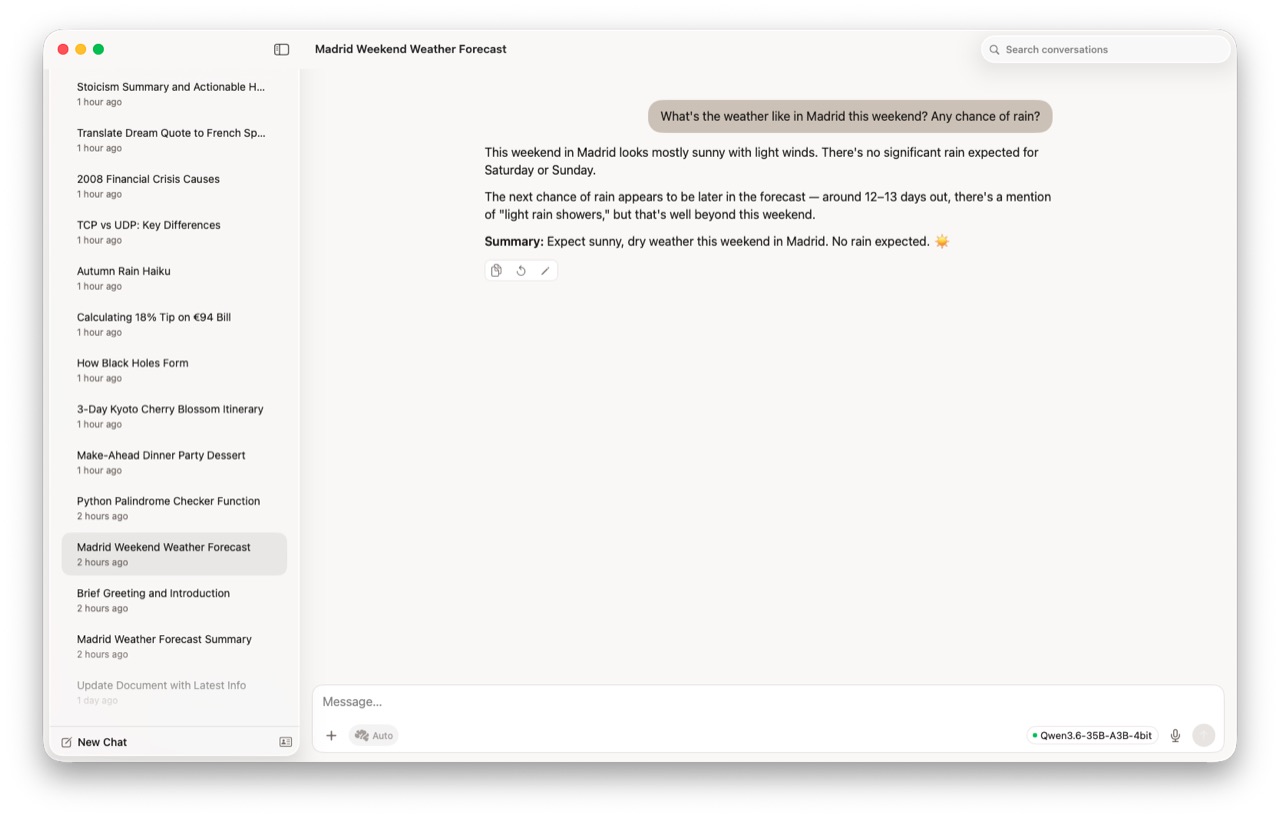
Mira on Mac — Madrid weather
Mira on Mac — educational explanation
Mira on Mac — tip calculator
Mira on Mac — stoicism
Mira on iPad — dinner recipe
Mira on iPad — quote translation
Mira on iPad — TCP vs UDP
Mira on iPad — 2008 crisis

Short, elegant conversation

What runs on your Mac

Local AI is a memory game.

The bigger the model, the more RAM it eats. So forget leaderboards. Here's what fits on your Mac, and how it feels to use.

Unified memory  ·  model that fits  ·  how it feels

16 GB  ·  up to 8B
snappy
24 GB  ·  up to 14B
comfortable
32 GB  ·  35B (4-bit)
~58 tok/s
64 GB+  ·  70B
slower, still fine

Measured, not marketed: 35B at 4-bit on an M5 MacBook Pro, 32 GB, June 2026.  ·  Full numbers ↗

Under the hood

Honest architecture.

Local inference

Powered by Apple Silicon. Run Qwen3.6, Gemma4, Llama, and other open models fully offline; zero API keys, no metered costs. Works on any M-series Mac with 16 GB or more.

No cloud

Your conversations stay on your Apple devices. Sync between Mac and iPhone uses your personal iCloud; no Mira servers, no third-party data handling, ever.

macOS + iOS + iPadOS

Native SwiftUI apps sharing one backend. The Mac runs the model; your iPhone and iPad connect over your home network for a seamless multi-screen experience.

mira-apps on GitHub

Open source

The inference backend (mira-core) is MIT licensed; inspect it, modify it, self-host it. You can read exactly what runs on your machine.

mira-core on GitHub

About

Learning by building.

It started with a let-down. I downloaded a small model, ran it locally, and asked it to rate my Mac for running AI. It had nothing; its training stopped in April 2024. So on its own the model was close to useless, and I could see how much I still didn't know. I opened Claude Code and asked, more or less: what do I do with this?

The answer was tools. My first web search worked and then immediately didn't: it kept handing me link names and privacy policies instead of the actual pages. Another letdown. So I asked for a fetch function to go read them, and that one stuck. It works now. Suddenly I could ask almost anything, all on my own hardware, and I felt two things at once: how little I still knew, and how good it was to take one more step anyway. Back then I called it OllamaSearch because of its limited scope (I didn't even know how long it would take to wire a tool), just a non-engineer learning to work with Claude. To me a viewport is still a window and a pill is a button. But I know how to tell Claude what to fix, and that turns out to be most of it. I had no idea about AI when I started. I'm getting somewhere now.

“AI is here, and it's useful. But you still need to know what it's good for; it won't replace your judgment. Do your own research.”